Using Claude Code to Debug Code You Didn’t Write
I’ve been using Streamlit and Modal together to build and deploy dashboards. Streamlit handles the interactive Python app side, and Modal handles serverless deployment - containers, scaling, infrastructure. It’s a great way to get apps up quickly, and Claude Code is effective at helping you build with both. That’s probably worth its own post.
A month ago I hit an issue - I needed the client IP address of users accessing my Streamlit app, and Modal kept returning its internal IP instead of the user’s. I gave up on it at the time.
Recently I came back to it and had Claude Code dig into Modal’s actual source code.
Asking on Modal’s Slack
Modal has an active Slack community, and their team is responsive. I posted my question:

They asked some follow-up questions and pointed me to information on Streamlit’s session handling. I’d seen this before and it hadn’t solved my problem - the suggestions worked for a different construct than the one I was using.
I was already using Claude Code to build the app. It occurred to me that it might be able to help with this third-party library issue too.
Adding Debug Logging
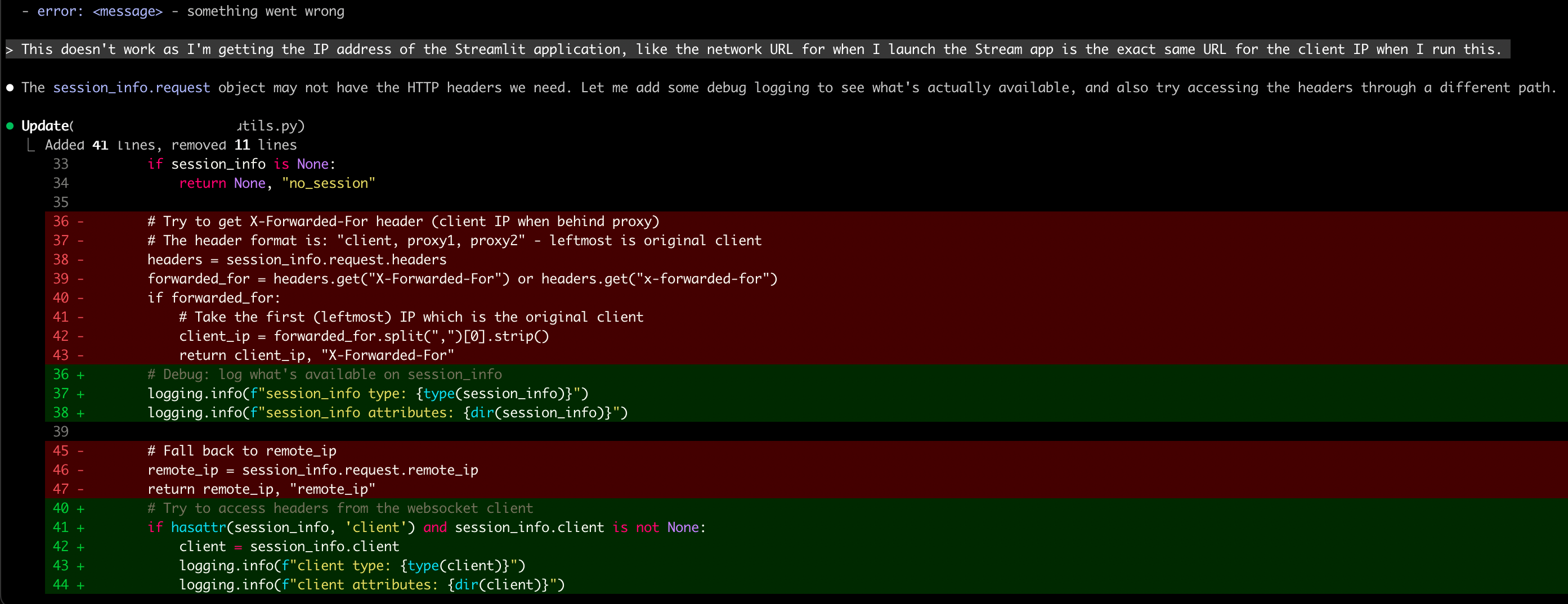
I used plan mode to explain the issue and what I’d already tried. Claude recommended adding some logging to see what headers were actually available:

Digging Into the Source
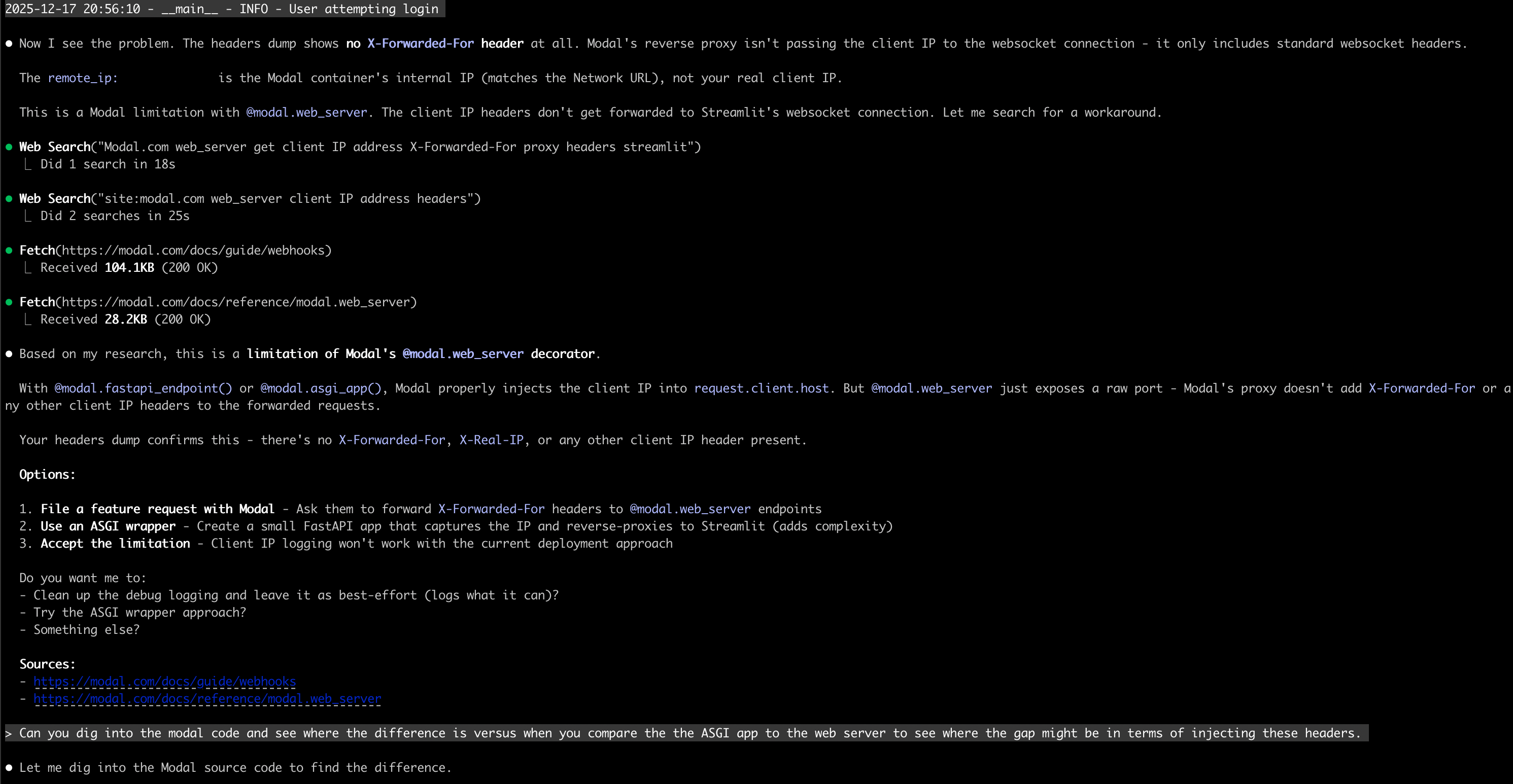
I pasted the debug output back into Claude Code. Claude saw the problem - no forwarded headers. It did some web searches and fetched Modal’s documentation, then told me this looked like a limitation with Modal’s implementation.
I asked Claude to dig into the actual Modal code:
Can you dig into the modal code and see where the difference is versus when you compare the ASGI app to the web server to see where the gap might be in terms of injecting these headers.
Claude looked at the Modal package installed on my machine - the actual pip package. It found the key files, analyzed them, and pinpointed a difference between how Modal handles HTTP and WebSocket connections.
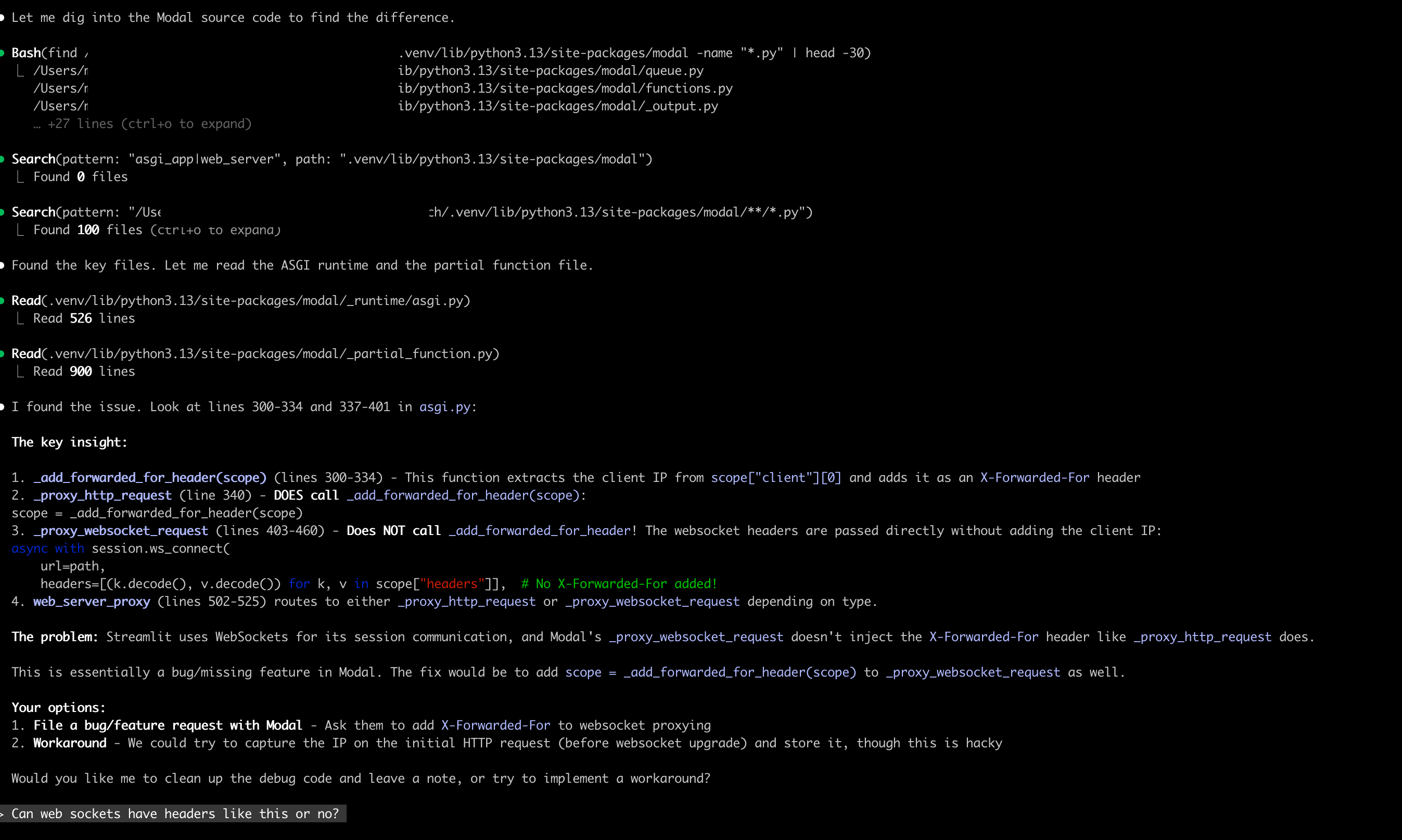
Modal’s _proxy_http_request function calls _add_forwarded_for_header to inject the client IP. But _proxy_websocket_request - which Streamlit uses - doesn’t make that same call. Claude gave me the exact line numbers.
I asked a follow-up about how WebSocket headers work:
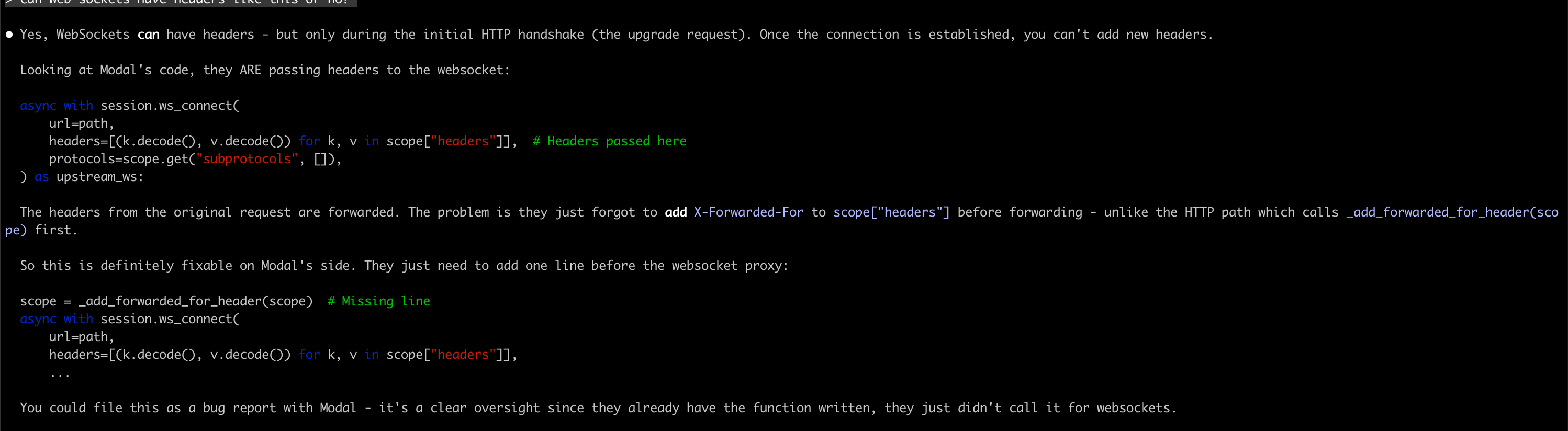
WebSocket connections can have headers during the initial HTTP upgrade request, but once the connection is established, you can’t add new headers. Modal would need to call _add_forwarded_for_header before establishing the WebSocket connection - same as they do for HTTP.
I went through the Modal code myself to verify. Tracing through both code paths, the issue Claude identified looked legitimate - the HTTP path had the header injection, the WebSocket path didn’t.
Reporting Back
I went back to Modal’s Slack with links to the exact files on GitHub and line numbers.
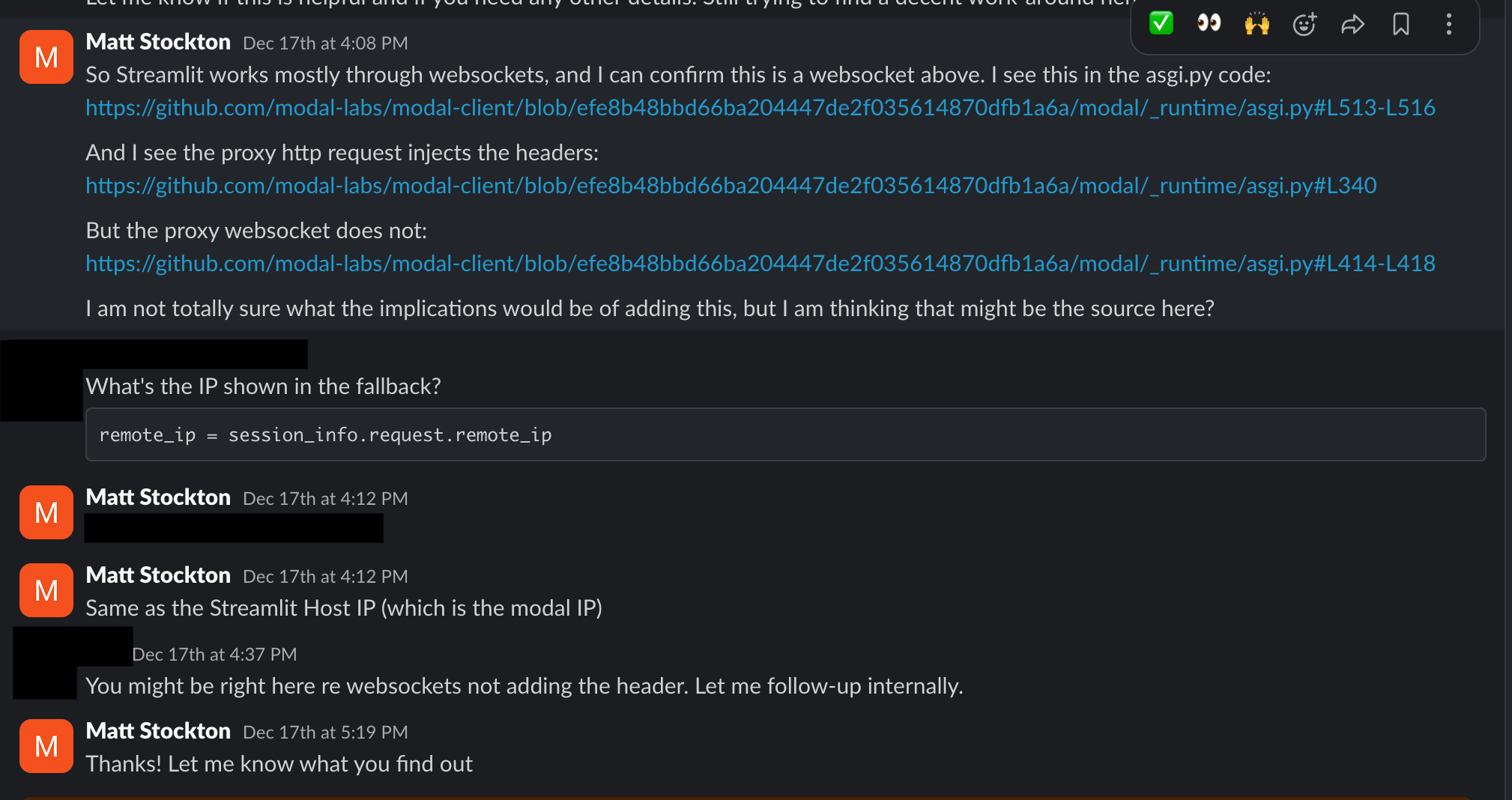
They acknowledged it might be a gap and said they’d look into it.
Source Code Over Web Searches
Claude Code can read anything on your file system, including every pip package you have installed. The installed package is the exact version you’re running - no mismatch between docs and reality.
Web searches can work, but they can also be stale or reference old APIs. I’ve written more about tool calling with file system access.
What Made This Work
I still needed to know what to ask. I knew what forwarded headers should look like. I knew to ask about HTTP vs WebSocket handling. Claude did the searching and reading, but I directed where to look.
I’m trying to keep a background thread running: “could AI help with this?” For anything I’m doing manually, I ask that question. More often than I expect, the answer is yes.
The Bigger Picture
When I step back, I didn’t have to do much for Claude to find the root cause. I described the issue and provided some debugging output. That was enough context.
If you prompted users to provide this kind of detail when reporting issues - maybe an agent asking the right questions - you could collect it fairly easily. Then another agent could use that context to investigate the codebase and generate pull requests automatically.
I’m sure the most advanced companies are already doing this. But this example made it clear to me how much value there could be in automating that loop.